 ← Back to Oh Crap! Run!
Support
Need help with Oh Crap! Run!? We're happy to help.
Email us at
We usually reply within 2 business days. Please include your device model and your iOS or Android version.
Frequently Asked Questions
How do I play?
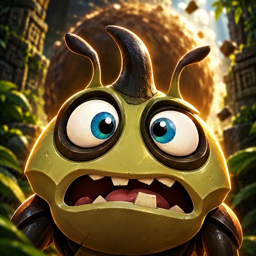
Your dung ball is rolling after you! Drag your finger left and right to steer the beetle, tap to jump and swipe up or down to dive. Grab dung pellets: every one you miss makes the ball bigger. Collect 35 to charge the fart dash, then tap 💨 to blast ahead and smash through everything. Open Settings → How to play any time for a quick guide.
How do I unlock new worlds?
Run far enough to reach a world and its challenge opens: play it from Challenges and win its bronze, silver and gold medals. You can also try any world for free; after that, watch a short ad to try it again, or unlock it in the Shop.
How do I turn off the narrator, the music or the vibration?
Open Settings on the main menu: the narrator, music, sound effects and vibration each have their own switch.
How do I restore my purchases?
Sign in with the same Apple ID or Google account you used to buy them, then tap Restore purchases in Settings or in the Shop.
My achievements or distance aren't in Game Center.
They are reported when you're signed in to Game Center. Anything you earned while signed out is sent automatically the next time you open the Game signed in. Only your furthest run appears on the leaderboard.
How do I remove the ads?
The Remove Ads purchase in the Shop removes every ad: the second chance after a fall and extra tries of locked worlds become free, no video needed. Without it, ads only play when you choose to watch one.
How do I change my ad privacy choices?
Open Settings → Ad privacy choices (shown where the law requires it). See our Privacy Policy, section 6, for tracking choices.
The sound stopped after I locked my phone.
Tap the screen once: the Game restarts its sound. If it stays silent, check your device's volume and the silent switch.
How do I share a replay?
After a run, tap Replay & share, pick a camera angle and a length, and tap Share when the clip is ready.
Credits & licenses
- A game by HelioShred Games
- Music, announcer voices and sound effects made with Suno
- 3D beetle model made with Meshy
- Luckiest Guy font by Brian J. Bonislawsky (Astigmatic), licensed under the Apache License 2.0: full license text
- Nunito font by Vernon Adams, Cyreal and Jacques Le Bailly, licensed under the SIL Open Font License 1.1
- Built with three.js, © 2010-2021 three.js authors, MIT License: full license text